From 30 September 2026, unregistered Android apps cannot be installed in Thailand
Thailand is one of the first four countries where Google requires every app to come from a verified developer. This article explains who is affected, what really happens if you do nothing, and five things business owners can check for themselves today.
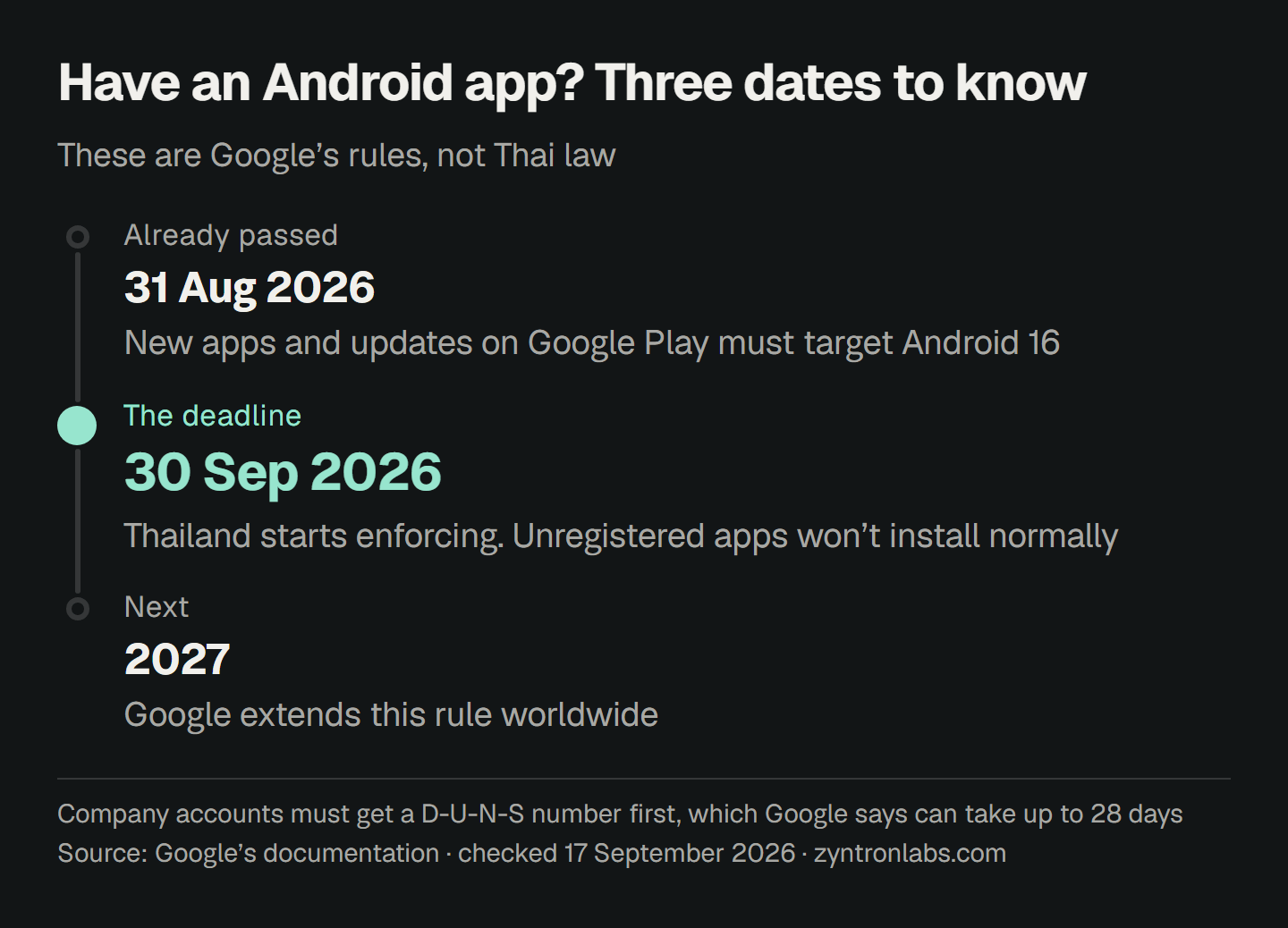
If your business has an Android app, whether it is on Google Play or an install file you send to staff and customers to install themselves, 30 September 2026 is a date to know. Thailand is one of the first four countries in the world where Google enforces this rule. The other three are Brazil, Indonesia and Singapore.
A lot has already been written about what is happening. This article looks at it from another side: what a business owner who already has an app needs to do, which steps take ten minutes, and which ones you won't finish in time if you only start today.
What is the new rule?
From 30 September 2026, any app installed on a certified Android device in Thailand must be registered, by a developer who has verified their identity with Google.
Let me say this first, because many people get it wrong. This is Google's rule. It is not Thai law and not an announcement from a government agency. Nobody has to file anything with any office in Thailand. Every step happens in your Google developer account.
These are two different things, and you need both. Verifying your identity proves that the person or company holding the developer account really exists. Registering an app tells Google that this package name belongs to that account. If your account is verified but you forget to register the app, the app still can't be installed.
This rule is not only for Google Play. Google says it covers seven participating stores. The ones people in Thailand know are Google Play, Samsung's Galaxy Store, and the stores of OPPO, HONOR, vivo and Xiaomi. It also covers install files shared outside any store.
After this first round in four countries, Google says it will extend the rule worldwide from 2027 onwards.
Who is affected?
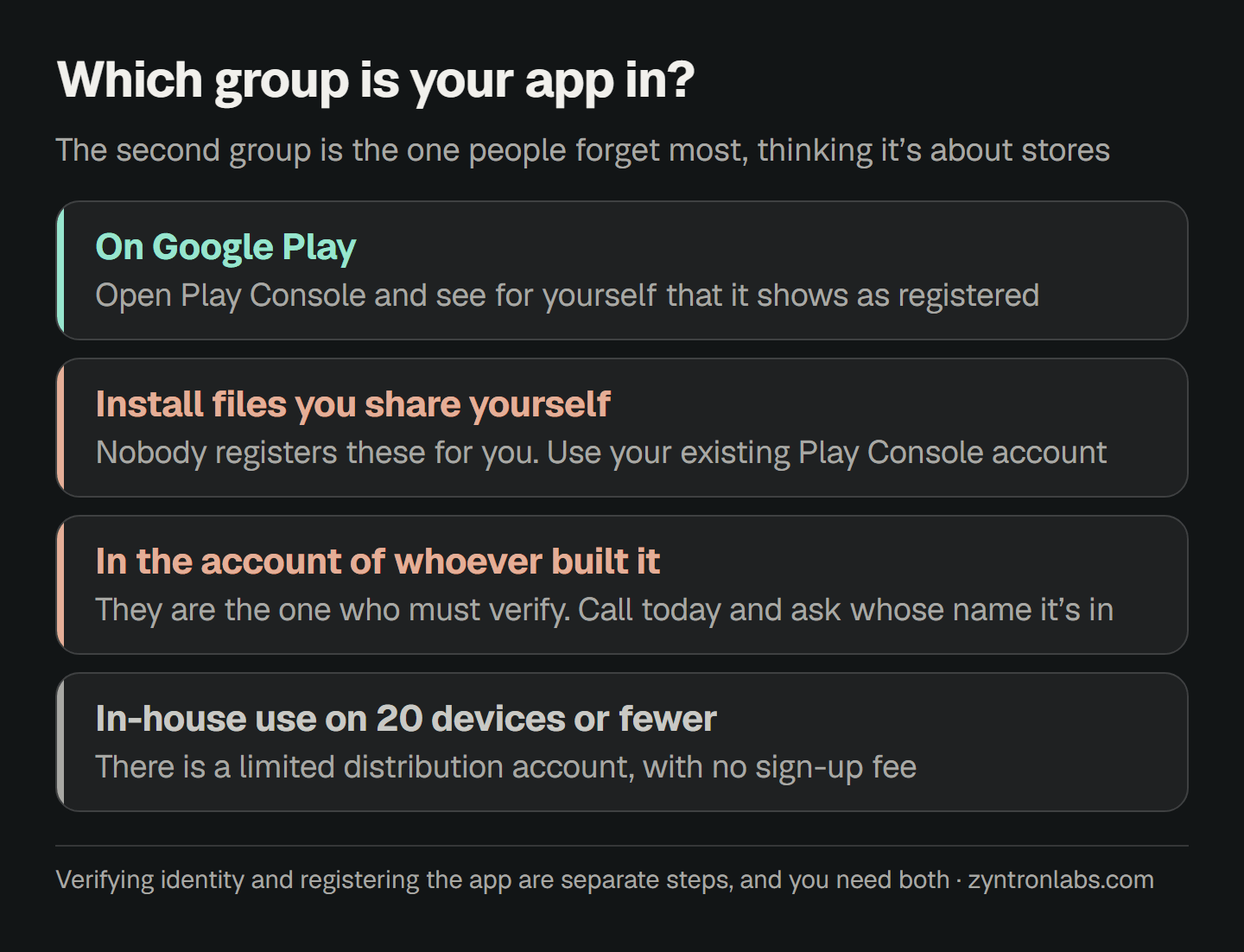
- You have an app on Google Play now, whether it is a shopping app, a loyalty points app or a booking app.
- You share an install file for staff to put on every phone, such as a stock check app, a clock-in app or a delivery app for your riders.
- You paid a company or a freelancer to build your app, and the app is in their account, not yours.
- You are about to launch a new app this quarter.
The second one is the one people forget most. Many think this rule is about stores, so an app that isn't on a store has nothing to do with it. The truth is the opposite. Apps you share yourself are the group that has to be registered entirely by hand, because nobody registers them for you automatically.
If you do nothing, what really happens?
- Apps on Google Play that are not registered by 30 September 2026 will be removed from Google Play under Play Console policy.
- Apps you share outside a store cannot be installed the normal way on certified Android devices in Thailand.
- Devices that installed the app before that date can keep using it. It is not deleted.
The third point is why this is more dangerous than it looks. The app on your own phone still opens normally, so you have no way of seeing the problem by opening it. The people who get stuck are new customers and staff who just changed phones, and they won't call to tell you. They will just stop trying to install it.
Google still lets advanced users install apps from unverified developers, but they must accept the risk and go through a one-time setup first. That path is for people who know what they are doing, not one ordinary customers will take. Developers can still install through ADB for testing, as before.
Five things you can check yourself today
One: whose name is the developer account in?
This matters most and gets talked about least. If your app is in the account of the company you hired to build it, they are the one who must verify, not you, and you have no way of knowing whether they have done it. If they close down or you can't reach them, your app disappears with them. Call them today and ask whose name the account is in, and whether verification is done.
When you hire someone to build an app, open the developer account in your own business name from day one, then invite the developer in as a user. The Google Play account fee is a one-time $25, far cheaper than moving the app later, and the app is truly yours however many times you change who looks after it.
Two: a company account needs a D-U-N-S number
An organisation developer account needs a D-U-N-S number, a nine-digit business ID from Dun & Bradstreet. It is free to get, but Google itself says the process can take up to 28 days.
If you don't have this number today, accept from the start that you won't make 30 September, and request it right away. Every week of delay is another week missing from the store. This is not something that can wait until you have time.
Three: see with your own eyes that the app is really registered
For apps already on Google Play, Google has registered more than 99 percent automatically. Put the other way, some were not registered, and nobody will tell you which group your app is in. Go into Play Console yourself and check that your package name shows as registered.
Four: if you share install files yourself, register the package name yourself
If you already have a Play Console account, you can use it to register apps you share outside the store. Google says clearly that you don't need a new account. If you only share outside stores and have never been on Play, you need to open an account at Android Developer Console, a new service Google built for exactly this case.
Five: apps used on no more than 20 devices have a free account
Google opened limited distribution accounts in August 2026. There is no sign-up fee and no ID card needed. You can share as many apps as you like, but they can go on no more than 20 devices. It suits in-house apps for a small shop or a small team, and people learning to build apps.
If more than 20 of your staff need the app, this option won't work. You need a full, verified account. Don't pick this path to save $25 and then hit the ceiling when your business grows.
Package names can be fought over
The package name is the app's real name as far as the system is concerned, not the name people see on the screen.
Name customers see   Baan Suan Coffee
Package name         com.bansuan.coffee
If several developers register the same name, Google's rule is that whoever's signing key accounts for more than half of all known installs gets the name. This matters for businesses that have changed app developers, or had a test app whose developer gave it a package name that was too generic. Check that the package name you actually use is in an account you control.
If you start today, will you make it?
It depends where you are. If you have a verified account and your app is already on Play, this may take just ten minutes to check the status. But if you don't have a company account yet and must start by requesting a D-U-N-S number, plan on not making it, because that step alone can take 28 days.
Missing the date is not the end. The app is not banned forever. Once you verify and register, the app can come back. The price you pay is the time when new people can't download it, and the later you start, the longer that is.
Another deadline that arrives at the same time and is often forgotten
Since 31 August 2026, new apps and updates on Google Play must target Android 16, API level 36 or higher. So if your app hasn't been updated for a long time, you can't just send an update to fix this. Your developer has to raise the target first.
These two deadlines land right on top of each other. That is why an app left alone for a year needs more work than its owner expects. It is not a one-button job.
Summary
- Check today that the developer account is in your business's name, not the name of whoever built the app.
- If it is a company account and you don't have a D-U-N-S number yet, request one now, because it can take up to 28 days.
- Open Play Console and see with your own eyes that the package name is really registered. Don't assume the automatic process caught every app.
- Apps you share outside a store must be registered too, and nobody will do it for you.
This rule exists so that people who release scam apps can be traced. The side effect is that people already doing things properly have to spend time on paperwork too. The good news is that it is a one-time job, and once it is done, your app is officially yours on record, not the property of whoever built it.